


Adwisely vs AdRoll: Which Is Better for Shopify? (2026 Comparison)
Read More

Running a Shopify store means juggling multiple ad platforms (Google Ads, Facebook, Instagram, TikTok) while trying to keep your return on ad spend (ROAS) profitable. It’s exhausting. That’s where ad automation tools for Shopify come in.
For Shopify merchants, ad automation is no longer a luxury. It’s a necessity. Your competitors are using AI to optimize product feeds, sync catalog data in real time, and convert web visitors into customers with sophisticated retargeting. Meanwhile, iOS 14.5+ privacy changes have made conversion tracking harder than ever, making automated optimization essential to maintain profitability.
This guide covers the 7 best Shopify ad automation tools that integrate seamlessly with your Shopify admin, handle product catalog syncing, support Shopify Plus, and help you scale beyond manual campaign management.
Shopify store owners face unique challenges that make ad automation essential:
We evaluated these tools based on:
| Tool | Shopify App Store Rating | One-Click Install | Shopify Plus Support | Product Feed Sync | Checkout Tracking |
|---|---|---|---|---|---|
| Adwisely | 4.5 ⭐ | Yes | Yes | Real-time | Native |
| AdRoll | 4.0 ⭐ | Yes | Yes | Real-time | Pixel-based |
| Criteo | N/A (Direct integration) | API-based | Yes | Real-time | Server-side |
| Shoelace | 4.2 ⭐ | Yes | No | Real-time | Native |
| Socioh | 4.3 ⭐ | Yes | No | Real-time | Pixel-based |
| Sixads | 3.5 ⭐ | Yes | Limited | Sync | Pixel-based |
| Clever Ads | 3.8 ⭐ | Yes | No | Real-time | Native |
Shopify App Store Rating: 4.5 ⭐
Adwisely is purpose-built for Shopify merchants and stands apart because it treats your Shopify store as a first-class citizen, not an afterthought.
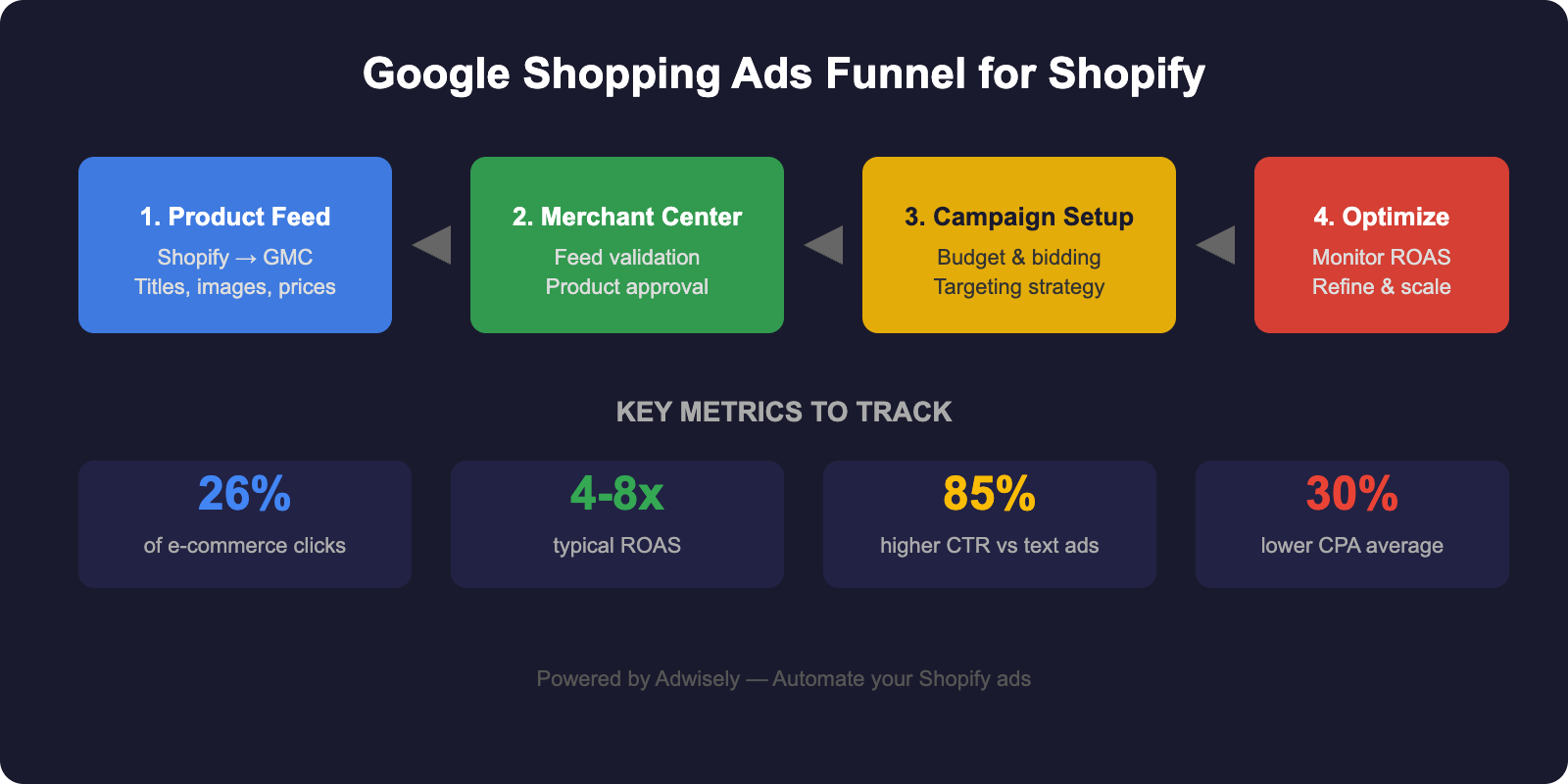
Shopify-Specific Features:
Shopify-Specific Limitation: Some advanced features (like customer lifetime value modeling) require historical data, so new stores see results after 30 to 60 days of data collection. Adwisely offers a 7-day free trial so you can evaluate results before committing.
Best For: Shopify stores of all sizes, especially those wanting AI-driven optimization without manual setup.
Shopify App Store Rating: 4.0 ⭐
AdRoll excels at retargeting Shopify visitors across Google Display Network, Facebook, Instagram, and the web.
Shopify-Specific Features:
Shopify-Specific Limitation: Relies on browser pixels for conversion tracking, which has limitations post-iOS 14.5. Server-side tracking is available but requires additional setup.
Best For: Shopify stores heavily focused on retargeting cart abandoners and past visitors.
Shopify App Store Rating: N/A (Enterprise integration)
Criteo is an enterprise-grade platform trusted by Fortune 500 brands, with deep Shopify Plus integration.
Shopify-Specific Features:
Shopify-Specific Limitation: Criteo’s high price tag and enterprise focus make it overkill for small to mid-market Shopify stores. Requires dedicated account management.
Best For: Large Shopify Plus stores with $10M+ annual revenue and complex multi-channel requirements.
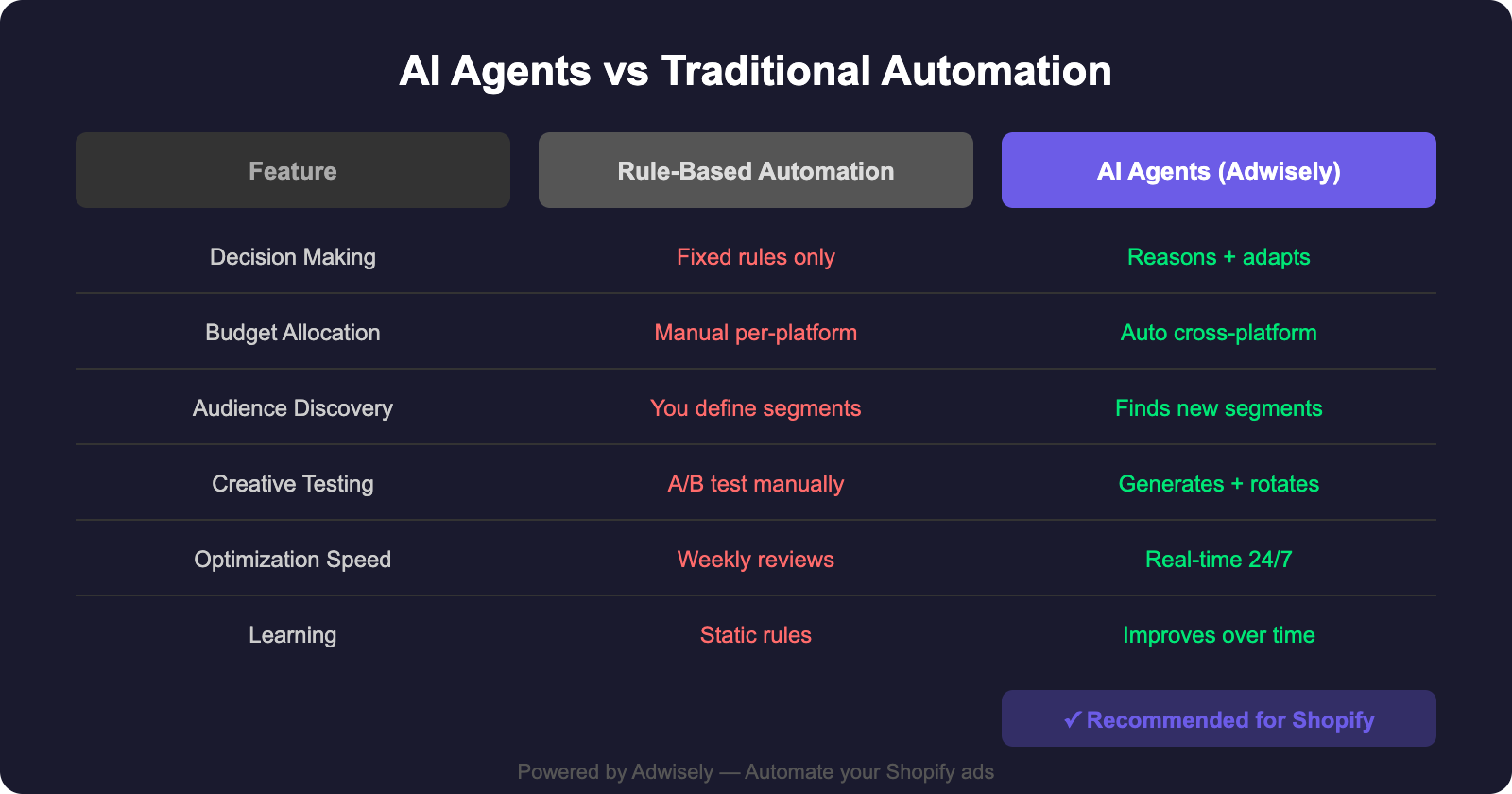
Shopify App Store Rating: 4.2 ⭐
Shoelace specializes in automated Facebook and Instagram advertising for Shopify stores, handling creative generation and audience targeting.
Shopify-Specific Features:
Shopify-Specific Limitation: Shoelace doesn’t support Shopify Plus and is optimized specifically for Facebook/Instagram. If you run heavy Google Shopping or TikTok campaigns, you’ll need another tool.
Best For: Shopify stores where Facebook and Instagram are primary sales channels.
Shopify App Store Rating: 4.3 ⭐
Socioh combines retargeting automation with a unique focus on leveraging customer-generated content and social proof.
Shopify-Specific Features:
Shopify-Specific Limitation: Does not support Shopify Plus, and conversion tracking relies on pixels rather than server-side methods, limiting accuracy post-iOS privacy changes.
Best For: Shopify stores with strong user-generated content and a focus on social proof in advertising.
Shopify App Store Rating: 3.5 ⭐
Sixads is the most affordable entry point into Shopify ad automation, ideal for new or bootstrap Shopify stores.
Shopify-Specific Features:
Shopify-Specific Limitation: Lower Shopify App Store rating (3.5) reflects limited customer support and slower feature rollouts. Optimization is more manual than competitors, so you’re doing more of the work yourself.
Best For: Bootstrap Shopify stores and those testing ad automation without significant upfront investment.
Shopify App Store Rating: 3.8 ⭐
Clever Ads is laser-focused on Google Ads optimization for Shopify, including Shopping, Search, and Display campaigns.
Shopify-Specific Features:
Shopify-Specific Limitation: Doesn’t support Shopify Plus and focuses heavily on Google Ads. If you run significant Facebook or Instagram spend, you’ll need an additional tool for those channels.
Best For: Shopify stores with Google Ads as the primary advertising channel and heavy reliance on Shopping feed optimization.
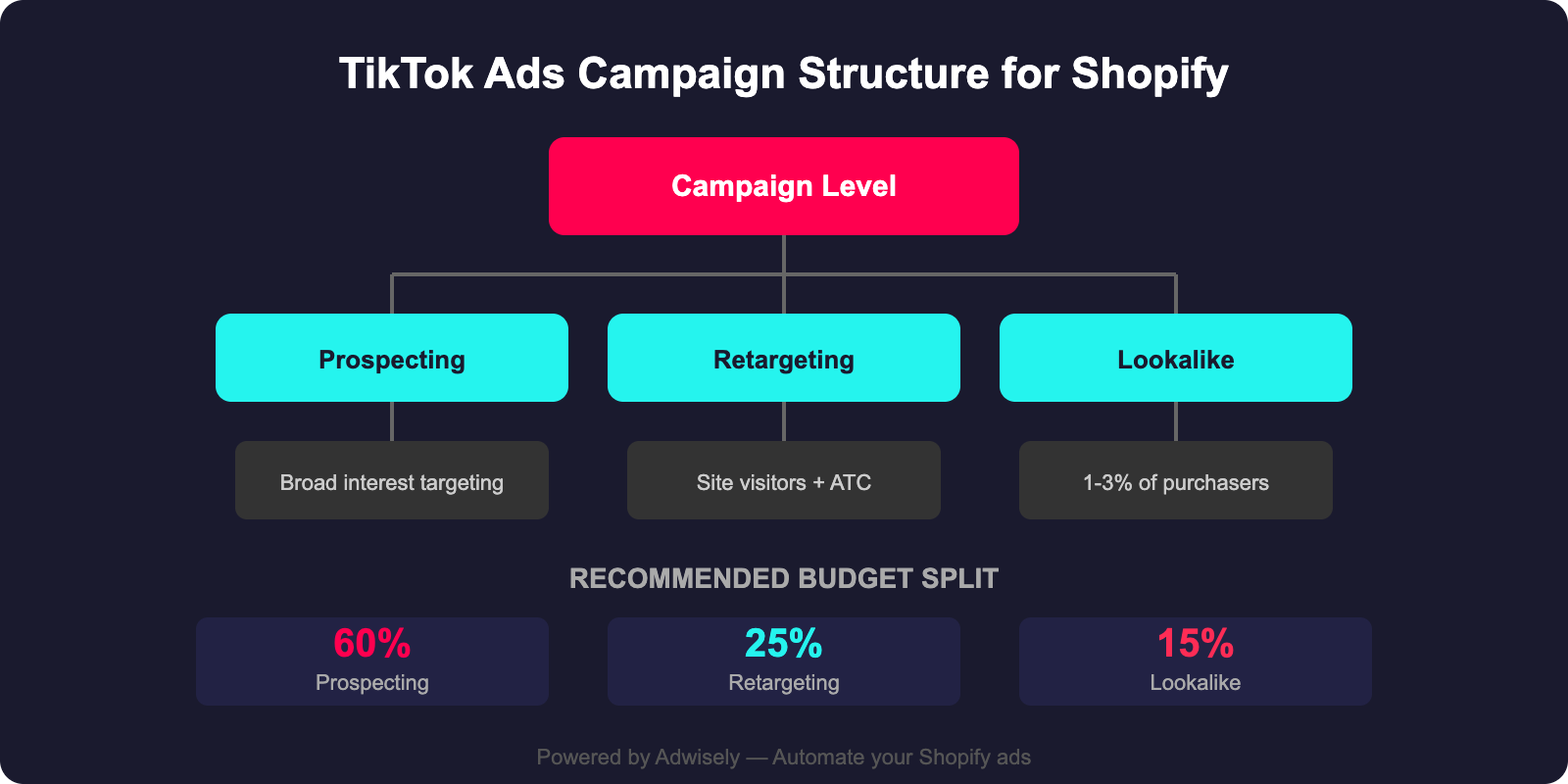
Before selecting a tool, ensure it checks these boxes:
Your Shopify product catalog changes constantly: new SKUs, stock updates, price changes. The best tools sync in real time to Google, Facebook, TikTok, and other channels. Manual feed uploads are outdated and error-prone.
Pixel-based tracking (like Facebook Pixel) doesn’t reliably capture conversions post-iOS 14.5. Look for tools supporting Shopify Conversion API or server-side tracking, which communicates directly with Shopify’s checkout to confirm purchases.
If you’re on or planning to scale to Shopify Plus, ensure the tool supports it. Not all apps do, and Shopify Plus stores have unique requirements around multi-location inventory, custom apps, and API access.
The best tools tap into your Shopify customer database for prospecting (finding new customers similar to your best buyers) and retargeting (re-engaging past visitors and customers). This requires secure, direct access to Shopify data.
Different tools focus on different channels. Shoelace excels at Facebook/Instagram. Clever Ads is best for Google. Adwisely spans all major platforms. Know which channels drive your sales and pick accordingly.
Shopify App Store reviews are from real merchants. Look for tools with 4.0+ ratings, as they indicate reliability, customer support, and consistent feature delivery.
For small stores (under $500K/year revenue): Start with Sixads (cheapest) or Adwisely (most user-friendly). Both offer one-click setup and immediate results.
For mid-market stores ($500K to $5M/year): Choose based on your main ad channel. Adwisely for all-channel optimization, Shoelace if Facebook/Instagram dominates, Clever Ads if Google is primary, or AdRoll if retargeting is key.
For enterprise Shopify Plus stores ($5M+/year): Criteo for maximum scale and sophistication, or Adwisely if you prefer a Shopify-native approach.
For new Shopify merchants: Start lean with Sixads or Clever Ads. Test automation, measure results, then upgrade to a more comprehensive solution as revenue grows.

No. All tools listed above work on standard Shopify plans. However, some (like Criteo and Adwisely) offer advanced features for Shopify Plus stores, such as custom audience segmentation and API access. Shopify Plus is beneficial if you manage multiple stores, need custom integrations, or have very high transaction volumes, but it’s not required to use ad automation.
Tools use one of two methods: (1) API Integration: Direct, real-time access to your Shopify product data via Shopify’s REST/GraphQL APIs; (2) Feed Export: Periodic exports of your product feed to channels like Google Merchant Center and Facebook Catalog. The best tools use API integration for instant updates when you change prices or stock levels.
Adwisely leads with 4.5 ⭐, followed by Socioh (4.3 ⭐) and Shoelace (4.2 ⭐). High ratings reflect user satisfaction, strong customer support, and reliable feature performance. That said, ratings alone don’t determine fit. Choose based on features and your specific needs.
Yes, but be strategic. Using two tools that optimize the same channel (e.g., two Facebook automation tools) can cause conflicts and budget waste. Safe combinations: one for Google optimization (Clever Ads) + one for Facebook/Instagram (Shoelace) + one for cross-channel retargeting (AdRoll). Adwisely works across all channels, so it can replace multiple tools if you prefer simplicity.
Post-iOS 14.5, browser-based pixels are unreliable. The best tools use Shopify Conversion API or server-side tracking: they communicate directly with your Shopify checkout to confirm purchases without relying on client-side pixels. Adwisely, Criteo, and Shoelace have native support. AdRoll, Socioh, and Sixads rely more on pixels (less reliable for iOS) but offer optional Conversion API. Clever Ads uses native Shopify checkout integration.
Results vary, but merchants typically see 15 to 40% ROAS improvement within 60 days. Factors include your baseline profitability, audience size, product margins, and how well you manage the tool. New stores with limited data may see slower initial results. Mature stores with established customer lists and solid margins see faster wins. Many tools offer a trial or money-back guarantee, so test before committing to annual plans.
Ad automation is no longer optional for Shopify merchants. iOS privacy changes, platform algorithm complexity, and rising competition mean you can’t rely on manual campaign management. The 7 tools in this guide (Adwisely, AdRoll, Criteo, Shoelace, Socioh, Sixads, and Clever Ads) solve the core problems Shopify store owners face: product feed sync, accurate conversion tracking, and profitable scaling across multiple ad channels.
Start with Adwisely if you want an all-in-one solution built specifically for Shopify. Choose Shoelace if Facebook and Instagram are your focus. Pick Clever Ads for Google-centric optimization. Or test Sixads if you’re budget-minded. Regardless of which tool you choose, implementing ad automation today will compound returns across your entire store tomorrow.
Ready to automate your Shopify ads? Install one of these tools today and watch your ROAS rise while your workload shrinks.
Learn more about optimizing your Shopify advertising strategy: