


Adwisely vs AdRoll: Which Is Better for Shopify? (2026 Comparison)
Read More

This day calls for a loud “Woohoo!” as we proudly announce that Adwisely is now available on WooCommerce for Retargeting ads.
Getting started with Adwisely and WooCommerce takes three main steps:
WooCommerce integration provides unique advantages:
These integrations mean WooCommerce store owners can launch sophisticated retargeting campaigns without technical expertise or ongoing manual configuration.
Manual Facebook retargeting setup requires:
Total time investment: 10-15 hours monthly.
With Adwisely: Installation takes 30 minutes, then AI handles ongoing optimization. Store owner time: 2-3 hours monthly for strategic reviews.
This dramatic time savings lets WooCommerce store owners focus on product quality, customer service, and business growth rather than advertising mechanics.
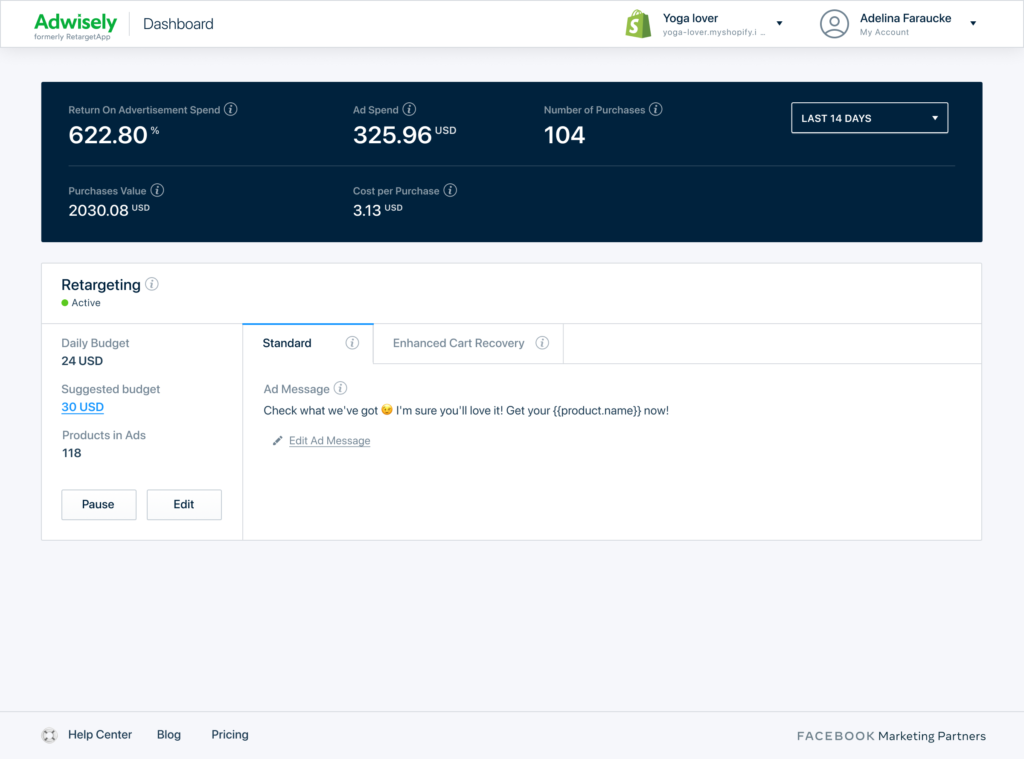
Have you been looking for a WooCommerce remarketing plugin? Now, more than 3M online stores worldwide can start advertising on popular platforms in a matter of minutes. All they need to do is get Adwisely — a web app that helps create, manage and optimize Facebook and Google campaigns that don’t cost you a fortune and actually bring you more sales.
Unleash the power of retargeting for your WooCommerce store. Re-engage your site visitors who didn’t make a purchase with fully automated Facebook and Instagram ads.
Bring even more sales with personalized retargeting ads on Facebook and remarketing ads on Google for the cart-abandoners who are most likely to make a purchase. Get 6x-10x return on ad spend effortlessly.
Expand your reach by showing relevant ads to potential purchasers who haven’t visited your site yet. Prospecting ads powered by Adwisely bring at least 3–5x ROAS.
Retargeting for a WooCommerce-based store is not only effective — it is also very affordable. With Adwisely, you only pay a monthly fee based on your ad spend within the current billing period. The prices start at as low as $49 for 30 days of service:
You can learn more about prices for Adwisely — the best retargeting tool for WooCommerce — in this article.
If you haven’t tried Adwisely yet, today is the best time to do so — get it today and enjoy a 14-day free trial.
Setting up retargeting for a WooCommerce store traditionally requires installing tracking pixels manually, creating custom audiences in multiple ad platforms, designing ad creatives, and continuously monitoring and optimizing campaigns. For most store owners, this is a daunting and time-consuming process — especially if advertising isn’t your primary skill.
Adwisely simplifies this entire workflow into a few clicks. After connecting your WooCommerce store, the platform automatically installs the necessary tracking pixels (Meta Pixel, Google tag), syncs your product catalog, creates optimized audience segments, and launches retargeting campaigns across Facebook, Instagram, and Google. The AI then manages everything ongoing — adjusting bids, rotating creatives, and reallocating budget based on real-time performance data.
WooCommerce store owners using Adwisely typically see their first retargeting results within 5-7 days of setup. The platform handles the technical complexity behind the scenes, so you can focus on running your store while your advertising runs on autopilot.
If you found this helpful, explore these related resources: